Capture text fast Free
Clipboard in, copy out in one tap. Search and tags when the list gets long.
Browse, copy, and manage text on your phone from a browser on the same Wi-Fi/LAN. No cloud, no account. Built for anyone who juggles prompts between a phone and a desktop—less “email it to yourself,” more “it’s just there.”
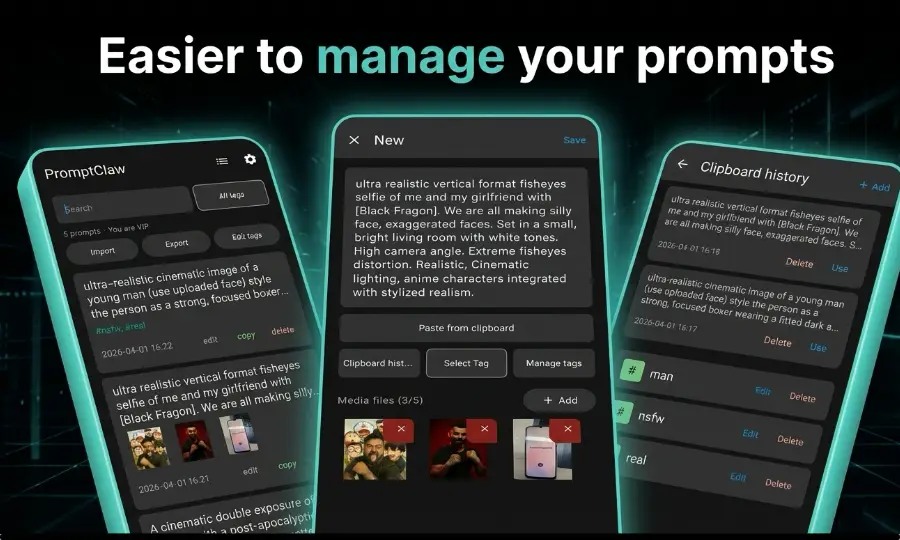
A major update—more powerful and nicer to use. Great for AI prompts and everyday text on your phone.
Clipboard in, copy out in one tap. Search and tags when the list gets long.
Quickly add a prompt or snippet by scanning a QR code—no typing on a small keyboard.
Keys, drafts, and weird one-liners stay on-device in this build—for privacy without a cloud vault.
Polish on PC, pull back on phone. Back up and move text with Markdown files.
Open a link on your PC (same Wi-Fi/LAN) to browse, copy, and manage text that lives on your phone.
Free and not required—just cuts friction if ChatGPT, Claude, or Gemini tabs are where you live. Get on Chrome Web Store · Privacy policy
Choose the plan that fits your workflow.
$8.99
One-time purchase on Google Play.
I live in AI image/video apps, agent-style chats, and sometimes Termux/SSH from my phone. That means a lot of copy-paste: prompts, weird links, one-liners from the web. Notes apps that sync everywhere felt overkill, and a bunch of “utility” apps open with full-screen ads—fine for casual use, terrible when you're bouncing between ChatGPT, browsers, and five other apps all day.
I shipped an earlier version already—this update is more powerful and a lot nicer to use. Not just for AI prompts—it's also great for everyday text management on your phone. I built this myself and have been using it ever since.
Grab text on your phone, finish on desktop—or the other way around—over the same local network. No emailing yourself.
ChatGPT, Gemini, Claude, image/video AI apps, and agent-style chats—prepare once, copy anywhere.
Your text stays on your phone. Pro HTTP sharing runs on your LAN only—no account, no cloud vault.
SSH commands, links, drafts, and random one-liners—not just long AI prompts.
Deeper guides on prompt manager topics: Android prompt management, how to organize ChatGPT prompts, and local prompt workflows.
A focused landing page for people searching directly for an Android prompt manager app.
Covers how to organize ChatGPT prompts on Android and why a dedicated app works better.
Explains the value of keeping an AI prompt library fully local on your phone.
Step-by-step angle on how to manage prompts on Android—folders, tags, and why a prompt manager beats notes apps.
Download PromptClaw on Google Play—local-first text manager with Phone ↔ PC sharing on your LAN. Optional free Chrome extension for browser tabs.